Mastering Microcontroller and Embedded Driver Development
About Course
Your Search for an in-depth microcontroller programming course ends here !!<<<
Course code: MCU1
Learn bare-metal driver development using Embedded C : Writing drivers for STM32 GPIO,I2C, SPI,USART from scratch
English Subtitles/CCs are enabled for this course.
Update 6: videos are updated with the latest STM32CUBEIDE
Update 5: All drivers are developed in a live session with step-by-step coding and added stm32-Arduino communication exercises using SPI and I2C.
Update 4: Dedicated support team is assigned to address student’s Q/A
Update 3: English Closed captions are fixed
Update 2 : Added Bus matrix / memory map /vector table /interrupt design discussion with code examples.
Update 1: Eclipse IDE setup for ARM Cortex M based MCUs added
The course is designed for beginners to advanced audiences.
Brief Description:
This course Demystifies the internal working of the Microcontroller and its Peripherals.
Coding for the Peripherals STEP-BY-STEP and Developing software drivers entirely from scratch by extracting maximum information from Datasheets, Reference manuals, specs, etc
Protocol Decoding Using logic analyzers, Debugging, Testing along with Hints and Tips.
Long Description:
Learning Embedded System Programming can be a challenge. Since it’s a relatively complex field, there’s no actual gold standard yet for how things are practiced, or taught, which can frustrate people who are just trying to learn new things and couldn’t connect the dots.
This is the motivation behind creating this course to help engineers and students learn different aspects of embedded systems by providing high-quality advanced lectures at a relatively low price.
Master Behind the Scene working;
created this course because I believe your time is precious, and you shouldn’t have to hunt around to get a practical foundation In Embedded System Programming. In this course, you will learn to write your peripheral driver for most commonly used peripherals such as GPIOs, I2C, SPI, USART, etc., and the exciting thing is that you will learn everything from scratch.
No 3rd party libraries!
No blind coding!
Write your driver APIs by dealing with the peripheral registers of the MCU!
Code and Implement APIs from scratch, diving into the datasheet and reference manual of the MCU. I will thoroughly explain how to extract the maximum information from datasheets, Technical Reference manuals to configure and handle peripherals. These techniques you can go and apply to any MCUs you have at your hand.
In this course, I will walk you through step-by-step procedures on configuring various Peripherals like GPIOs, SPI, USART, I2C by taking you into the reference manual and datasheet. We will develop a fully working driver code, interrupt handlers, sample application everything from scratch to understand the big picture.
In each lecture, I assure you that you will learn something new to use in your work or projects. You’ll find yourself handling these peripherals with much more clarity. You will be able to speculate and debug the problem quickly. I’ll show you tricks and tips to debug the most common issues using debugging tools such as logic analyzers.
This is not the Arduino style of programming:
I believe Arduino is for quick prototyping of projects/products but not for mastering the working of micro-controllers and their peripherals. Unlike Arduino programming, where you develop a quick solution and prototyping of products using third-party libraries, this course is entirely different. In this course, no 3rd party libraries are used. Everything we will code by referring to the technical reference manual of the MCU and will create our own library. The Power of this approach is that you can quickly speculate problems and debug like a pro when things go wrong in your project due to bugs. If one thing me and my students are good at is “debugging,.” To achieve good debugging skills, it’s essential to code by understanding how things work behind the scene but not by blindly using some third-party libraries, and that’s the biggest TAKE away from this course.
The course is designed and explained so that it is generic across any microcontroller. The code we develop can be used as templates to quickly build a peripheral driver for your MCUs on-chip peripherals.
Software/Hardware used:
In this course, the code is developed so that it can be ported to any MCU you have at your hand. If you need any help porting these codes to different MCUs, you can always reach out to me! The course is strictly not bound to any 1 type of MCU. So, if you already have any Development board that runs with an ARM-Cortex M3/M4 processor, I recommend you continue using it. But if you don’t have any development boards, then check out the below Development boards.
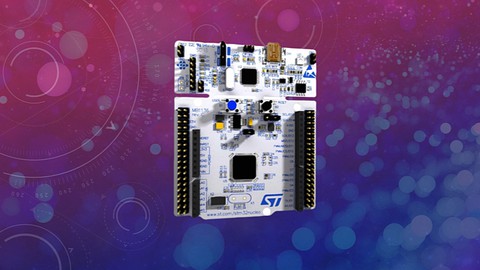
1. STM32F407xx based Discovery board ( This is the board used in this course)
MCU Vendor: STMicroelectronics
IDE: STM32CUBEIDE (Free)
My promise:
I am confident that this course will save you many hours of studying/experimenting/googling time to learn about MCU programming. I will personally answer your questions about this material, either privately or in a group discussion. If you are not satisfied, for any reason, you can get a full refund from Udemy within 30 days. No questions asked. But I am confident you won’t need to. I stand behind this course 100% and am committed to helping you.
